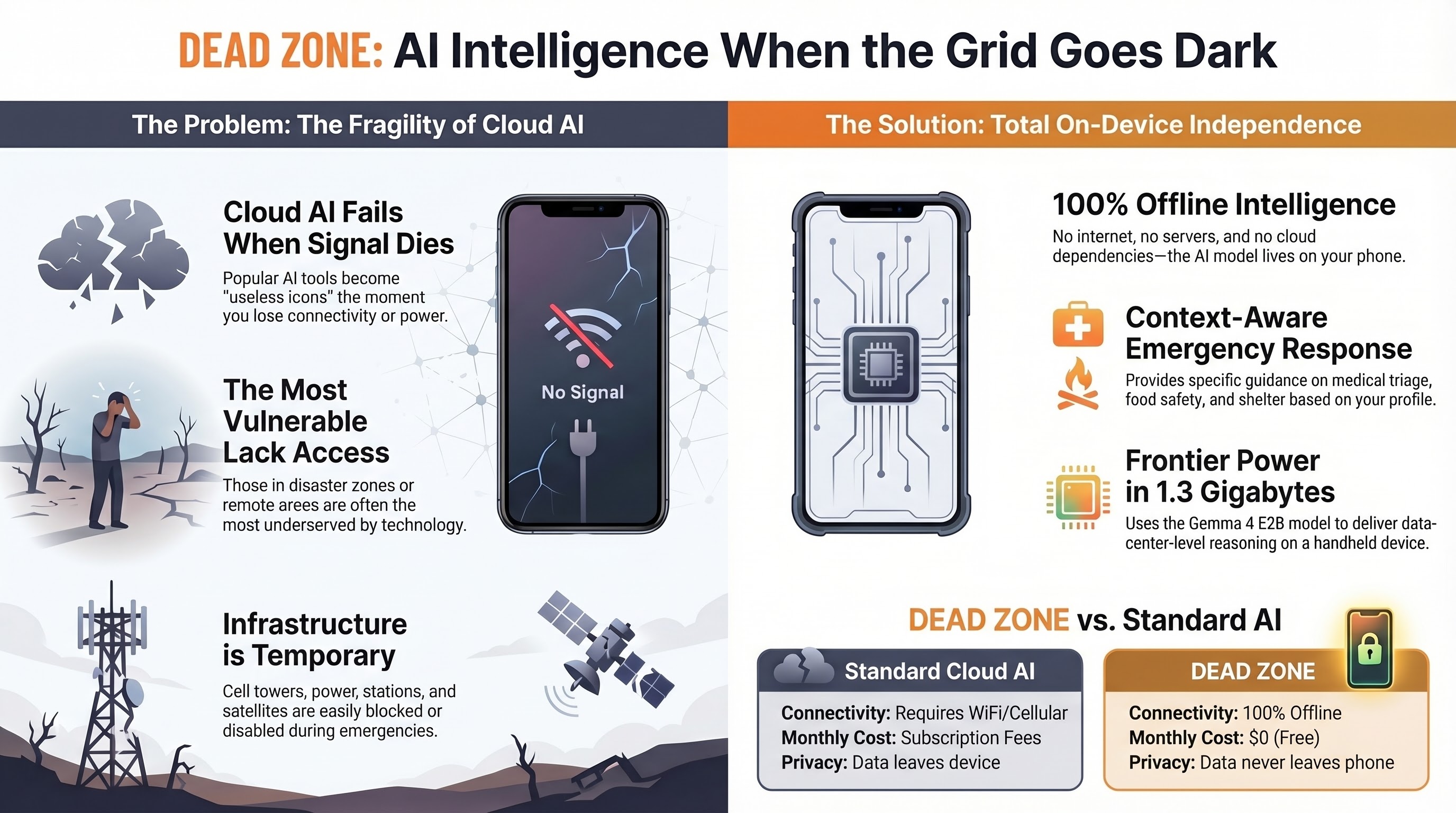
"Every AI assistant on the market dies the moment you lose connectivity.
DEAD ZONE does not."
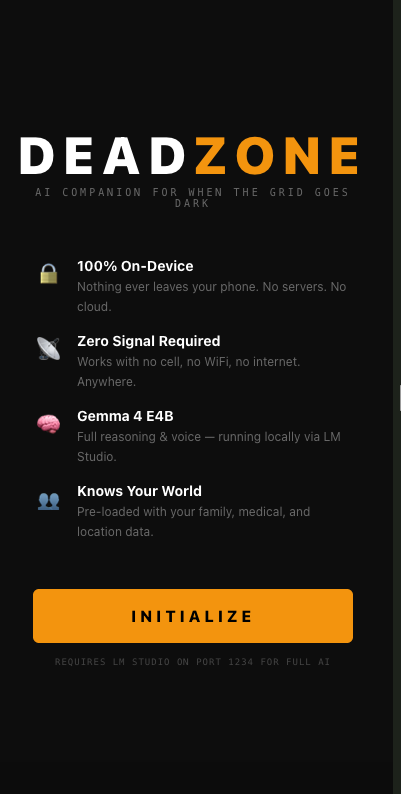
A free, fully offline AI emergency companion. One HTML file. Zero cloud. Zero cost. Built entirely on the device it runs on — for the people the grid forgot.
Zero cloud · Zero subscription · Zero data leaving your device · Ever.
Designed for one-handed use in the dark, under stress, with shaking hands. Every screen is engineered for the exact moment you actually need it.
Hear what it sounds and feels like when the grid goes dark — and Dead Zone doesn't.
DEAD_ZONE_survival_AI_for_iPhone · Audio Walkthrough
Every feature is designed for one scenario: you're in trouble, and the internet is gone.
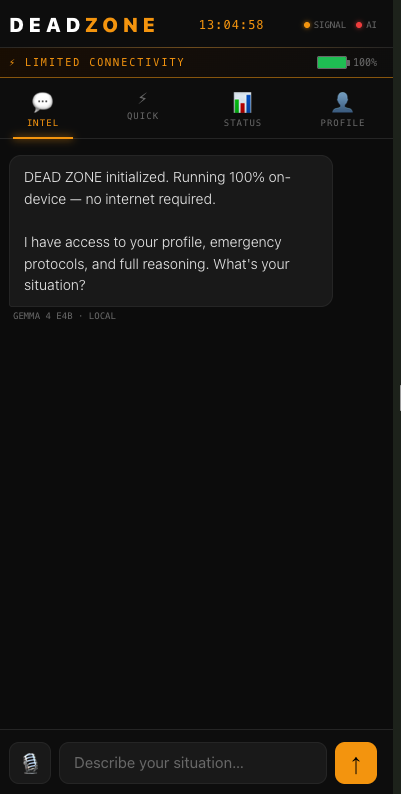
Full conversational AI via Gemma 4 E2B running 100% on-device. Your profile — medical conditions, family, resources — is fed into every response.
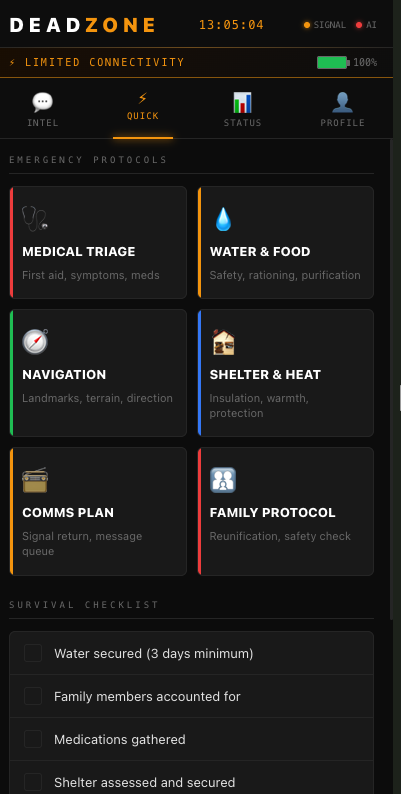
100% OfflineOne-tap emergency protocols for Medical Triage, Water & Food Safety, Navigation Without GPS, Shelter & Heat, Comms Planning, and Family Reunification.
6 ProtocolsHands-free operation via Web Speech API — works fully offline in Safari. Speak your situation, get guidance. Critical when your hands aren't free.
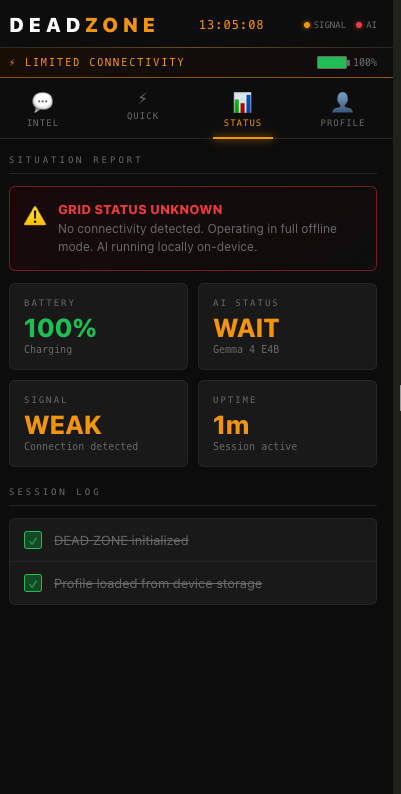
Offline VoiceLive battery percentage with color-coded warnings, AI model connection status polling every 15 seconds, signal detection, session uptime, and activity log.
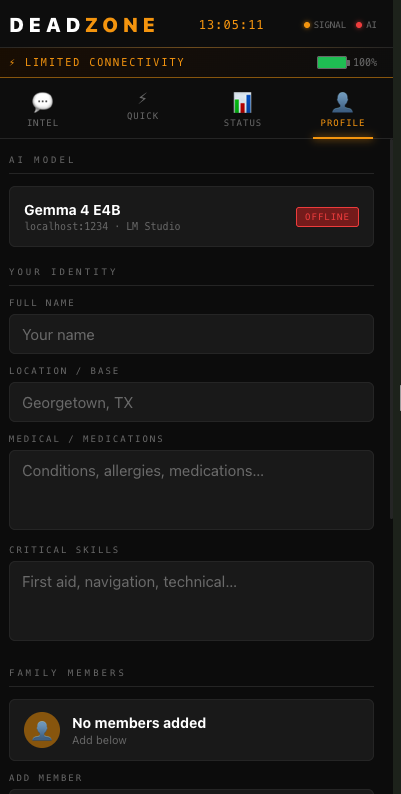
Live MonitoringPre-load your identity, medical conditions, medications, allergies, family members, critical skills, and available resources. The AI reads it on every query.
Private · Never TransmittedWhen the AI model isn't running, six pre-written emergency protocol engines activate instantly. Water purification, medical triage, shelter — always available.
Always ReadyThree free apps on your iPhone. Everything stays on your device. The internet is optional — and only needed once, for the initial model download.
Gemma 4 E2B — Google DeepMind's edge-optimized frontier model — runs locally via Locally AI (free on the App Store). It exposes an OpenAI-compatible API on your device. After the one-time ~1.3GB download, zero internet is ever needed again.
API → localhost:1234a-Shell is a full iOS terminal with Python built in. Run a single command and your iPhone becomes a local web server. Dead Zone is one HTML file — served instantly.
python3 -m http.server 8080Navigate to localhost:8080/deadzone.html in Safari. Optionally add it to your Home Screen as a PWA for a full-screen native-app experience. Tap Initialize. You're ready.
localhost:8080/deadzone.htmlEvery request flows from Safari → localhost. Profile data, medical information, family names, conversation history — all stored in browser localStorage on your device. There is no mechanism in the application to transmit data externally. That's not a policy. It's an architectural fact.
Zero external calls · Zero cloud · Zero leakageFrom first setup to real emergency scenarios — watch Dead Zone in the wild.
Step-by-step walkthrough — install the apps, download the model, launch the server, open the app. Zero to operational in under 10 minutes.
The story behind Dead Zone — why it was built, who it's for, and why powerful AI should reach the people who need it most.
What it actually looks and feels like when the grid fails — and Dead Zone keeps running when everything else goes silent.
Cloud AI fails exactly when and where you need it most. Dead Zone was built to fix that — permanently, for free, for everyone.
Built for anyone who lives, works, or travels somewhere the internet cannot be guaranteed.
Sparse cell coverage. Remote roads. Real emergencies with no backup.
Hikers, overlanders, hunters operating in remote terrain.
Families ready for floods, earthquakes, grid failures.
International travelers crossing data-coverage gaps.
Operating in compromised communication environments.
Anyone who survived an outage and wished for something smarter.
Both required apps are free. The model download is the only time you'll ever need internet.
Both free on the App Store. Locally AI runs the AI model on your device. a-Shell is the iOS terminal that hosts the web app.
Open Locally AI, search the model library, and download Gemma 4 E2B (~1.3GB). Do this on WiFi. This is the only internet-required step in the entire setup.
⚠ One-time download · Then fully offlineIn Locally AI, tap Load on Gemma 4 E2B, then enable the Local API Server. A green indicator confirms it's running on port 1234.
Open a-Shell and create a directory for Dead Zone.
mkdir deadzone && cd deadzoneThe easiest method — run this in a-Shell while you still have internet (or transfer via the Files app):
curl -L -o deadzone.html https://raw.githubusercontent.com/2squirrelsai/dead-zone/main/deadzone.htmlIn a-Shell, inside the deadzone directory, run one command. Keep a-Shell open in the background.
python3 -m http.server 8080Navigate to the address below. Tap Initialize. Optionally add to Home Screen for a full-screen PWA experience. You're ready — with or without signal.
localhost:8080/deadzone.htmlNot a policy. Not a promise. There is no mechanism in the application that can transmit data externally. If you disconnect from the internet, the app works identically.
No usage tracking. No telemetry. No pings home. Ever.
No sign-up, no login, no email required. Download and run.
Zero requests to any external server during operation.
Profile, medical data, and conversation history stay in localStorage on your device.
One HTML file. Read every line in any text editor. Verify every claim yourself.
Take it, fork it, modify it, give it to someone who needs it. No strings.
No strings. No account required. No expiration date.
Take it. Use it. Stay safe.